


ONLINE VIRTUAL CLASS
Week 06
My Week 6's tasks:
_ Experiments:
+ Paper-based experiment.
+ Simple animation devices.
_Look at the mini-projects (practical experiments)
_Looking at Marisha's recommendation videos and articles for mini-projects.
Monday Meeting:

👉 Richard's Comment:
_So based on what I wrote down to the discussion, Richard told me to try to fix again all the mini-projects. At the moment, he thinks mini-projects 2 and 3 are kinds of addition to mini-project 1.
_ Because I don't know where to start yet so I have a tutorial with Marisha right in the afternoon for advice...
_edited.jpg)
Paper-Based Experiment:
Before actually making a digital Phenakistoscope and hand made one, I have to research everything about Phenakistoscope.
✔️ Facts about Phenakistoscope:
-
It was introduced in the French newspaper Le Figaro in June 1833.
-
Also call "Phenakistiscope" or "Phénakisticope."
-
The first widespread animation device that created a fluent illusion of motion.
-
Regarded as one of the first forms of moving media entertainment that paved the way for the future motion picture and film industry. (Prince, Stephen, 2010)


Joseph Plateau

Simon Stampfer
👉 The phenakistoscope was invented almost simultaneously around December 1832 by the Belgian physicist Joseph Plateau and the Austrian professor of practical geometry Simon Stampfer.
✔️ Learn to make Phenakistoscope: (From thinking about the ideas and how to create digitally and handmade)
.png)
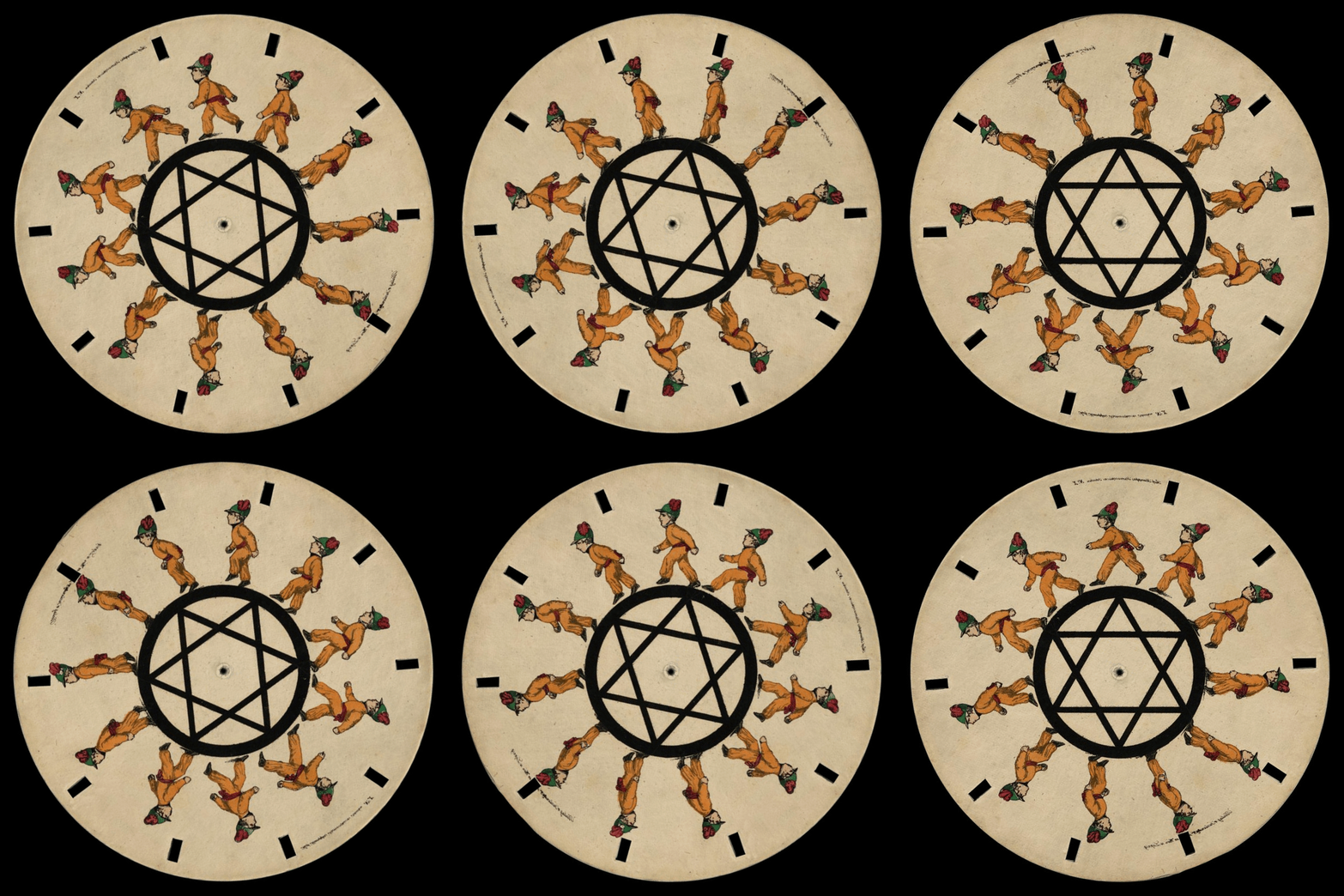
👉 Here you can see a gallery of examples of Phenakistoscope. Most of them are belong to the Library of Congress.
👁️🗨️ How to make Phenakistoscope? The ideas of Phenakistoscope?
👉 The phenakistoscope usually comes in the form of a spinning cardboard disc attached vertically to a handle.
👉 The user would spin the disc and look through the moving slits at the images reflected in a mirror. The scanning of the slits across the reflected images keeps them from simply blurring together so that the user can see a rapid succession of images that appear to be a single moving picture.
👉 A phenakistoscope is a precursor to a zoetrope (which is the one we gonna make next week).
👉 PHENAKISTOSCOPE (Cut, Out, Fold and Up): The website shows us the steps of handmaking a phenakistoscope and notes about it.
✔️ Ideas for digital and handmade Phenakistoscope:

👁️🗨️ READING:
👉 Through the looking glass: Philosophical Toys and Digital Visual Effects: (By Stephan Prince)
_ The article examines that era in light of what it suggests about digital imaging today and the aesthetic forms that it enables.
_Keywords: digital effects, indexical image, perceptual realism, philosophical toy, special effects
_The article was really interesting in a way were making a bridge between art and science as the digital visual effects. The article question was quite simple about visual skepticism often surrounds the discussion of visual effects in film studies. Conjunction of art and science has characterized cinema throughout its history, especially in the era of “philosophical toys” from which the medium originated.
👁️🗨️ WATCHING:
👉 I also watch some of the videos about Phenakistoscope to get inspiration. Down here you can see a video to tribute an artist Joseph Plateau - one of the first people to demonstrate the illusion of a moving image. The other video was to preparing myself before making a digital phenakistoscope.
👁️🗨️ THE FIRST IDEAS:
👉 Phrases of the moon:
_ Everything I research about Phekistoscope will have a path of the moon. And since Phenakistoscope was born, the moon has been using a lot in it. The Phrases of the Moon was a really simple thought for me. And, as showing the circle of the moon from New-moon to Full-moon.

.jpg)

👉 We have 2 articles about the moon and eclipses:
_ Moon Phrase Animation (AD 650 - 1650)
_ Early Motion Pictures of Eclipses (1639 - 1880)
Both of the articles were written by Patrick Feaster. And both two was writing about the phrases of the moon in two differences but same characteristics. One was Phenakistoscope and the others were about Motion Pictures
EXAMPLES OF THE PHRASE OF THE MOON FOR PHEKISTOSCOPE


👁️🗨️ THE SECOND IDEAS:
👉 Eyes, Noses, and Lips:
_ I kept thinking about making something like a flat design but fake 3D. So I choose to create a phenakistoscope and use eyes, noses, and lips without any thoughts. I was really interested in the fact that phenakistoscope actually related to Illustration but I was following the Graphic Design path. My inspiration was very random because I found this illustrator artist: Isabella Levenston and her process journal (I guess)



👉 These are my design of Eye and Nose and Lip.
👁️🗨️ THE THIRD IDEAS:
👉 3D Skull:
_ I wanted to experiment with a 3D model in the phenakistoscope. And because I haven't done any experiment or knowledge of 3D or even apps so I would have to download the available 3D models.
_I chose a 3D skull because I don't want to involve with color yet. And, there is actually a problem with the 3D model's color when appearing on my computer. I think a part of that because I don't use the right apps for the 3D models.
👉 These are some examples of skulls I experiment:


1/ Digital process:
👉 Phenakistoscope:
_I have been experiment with the phenakistoscope through the digital first before making a real version of it. So, you can see my experiments down here. One is with 3D skulls and one is a 2D fake 3D eyes, noses, lips. You can see another experiment Phrases of the moon.
_Evaluation for my experiment:
-
With the Skull phenakistoscope experiment, I used a 3D Skull and experiment with it by spinning it 360 degrees with 30 skulls around the circle. I have a record of my experiment too so you can actually watch it. And, as you can see the experiment was really successful with the digital spin.
-
With the Eyes, Noses, Lips phenakistoscope, only the eyes were made with fake 3D by changing it through the direction spinning. And the lips and noses are made through the 3D effect in Adobe Illustrator. And this one I tried with 8 frames which are divided into 8 eyes, noses, and lips. I found this also successful by the way everything was clear when spinning.
✔️ Facts:
_ The Skulls phenakistoscope is made with Adobe After Effects.
_ The Eyes, Noses, Lips phenakistoscope is made with Adobe Photoshop.
👉 Phrases of the Moon phenakistoscope:
_I was made this phenakistoscope first compare with the other two but sadly this one was failing with the digital phenakistoscope. This also was made with 8 frames comparing with 8 phrases of the moon.
_Evaluation for my experiment:
⚠️I actually sad because the experiment failed. I think I have to think again about what I have done wrong.
-
The first thing I think I have done wrong was the way I display the moon. And, because this one was the first experiment so I was handmade everything and did not display all the moon in the right position.
-
The second thing I did wrong I think it just because of the shadow I create for the circle of the moon and that made the spinning process harder to see clearly.
✔️ You can see the video down here recorded my process of making this phenakistoscope work digitally with Adobe Photoshop.
Preview all of the Phenakistoscope file here.
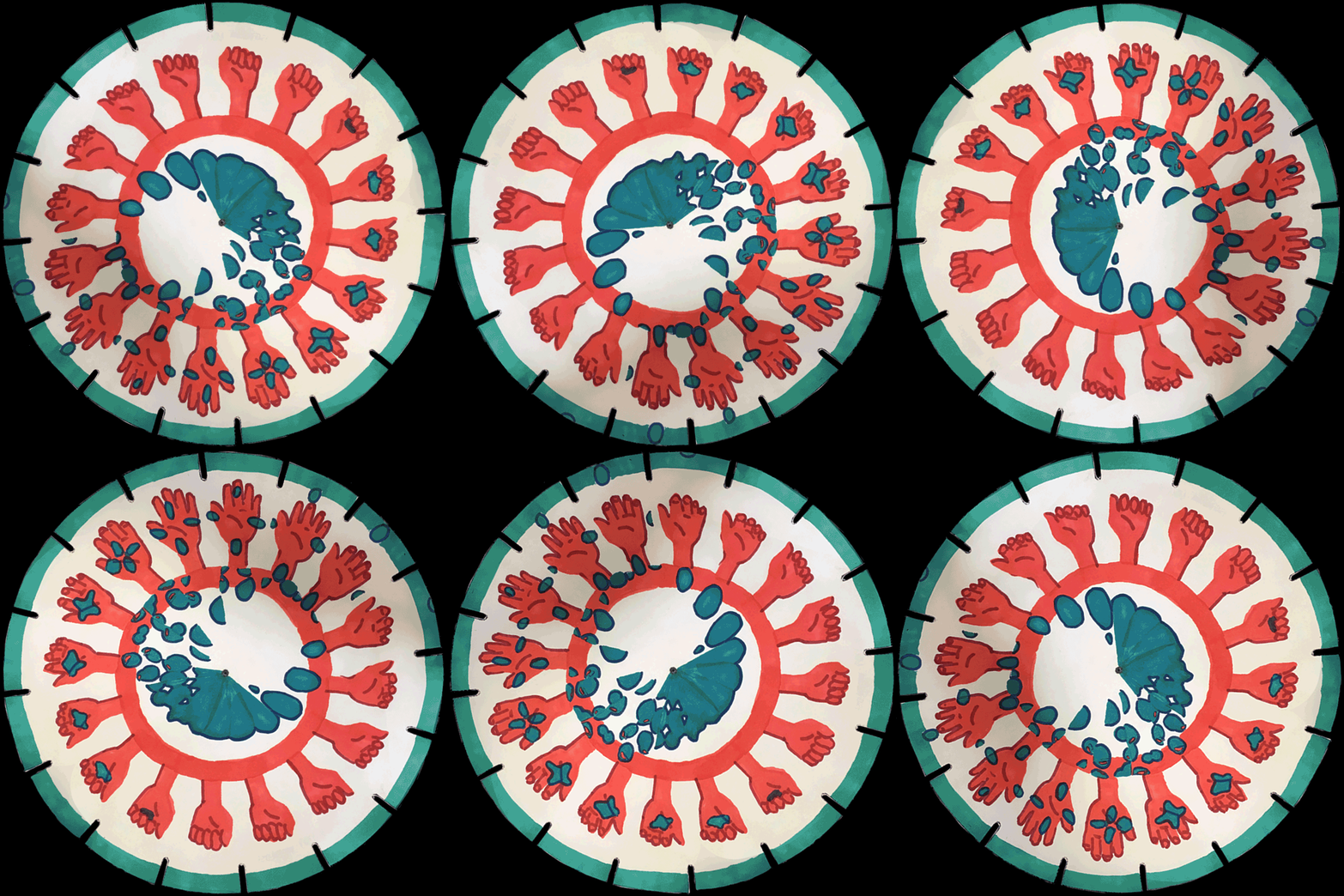
2/ Handmade Phenakistoscope process:
Eyes, Noses, Lips Phenakistoscope.
Skulls Phenakistoscope.
Phrase of the Moon Phenakistoscope.
👉 Evaluation:
_ Compare with the Skull Experiment, we can start seeing the perception of vision in right the beginning second.
_Compare with digital maybe the handmade can be hard to observe but as time coming by, I think the interesting thing about this was how I actually communicate with it.
👉 Evaluation:
_ As the evaluation of the ENL has told us, the skull experiment actually only can see at the last second.
_I really love the idea of using 3D models.... And actually thinking about a crazy idea of learning to make digital 3D models...
👉 Evaluation:
_ This was actually a fail experiment. The paper was glossy so if we using natural light or artificial light, it will move harder to see clearly.
_There are 2 reasons I think that have made this experiment fail. The first reason is because of frame rate, comparing to the ENL experiment even though they both using 8 frames but the differences between those were the background and the imagery. The second reason is the gradient I create for the moon shadow, it can be just too much...
⚠️ To view the effect through a camera phone, place the disc on the turntable at the proper speed under a bright light. The shutter will blend the frames together to form a cohesive image on the screen. (The brighter the light, the clearer the image will appear, so try to use as many light sources as possible for the best results!)